


I often wonder why AI agents don't already do everything for me today. Why don't they take my meetings for me? Why can't they send follow-ups to customers? Why can't they track the progress of our product launches and just start solving problems for us?
It seems like this is an engineering challenge more than a scientific one. Models today are already remarkably capable at solving complex problems. Look at how far AI coding has come in just two years.
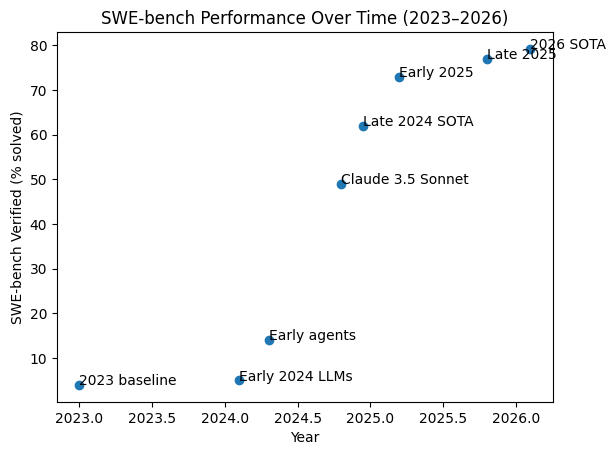
In 2023, the best models could solve around 5% of real-world GitHub issues. By early 2025, that number crossed 70%. Today we're approaching 80%. These aren't toy benchmarks—they're actual pull requests on open-source repositories that require multi-file reasoning, debugging, and testing.
If a model can navigate a codebase, diagnose a bug, and write a working fix, why can't it update my CRM after a sales call? Why can't it pull last week's metrics from three different tools and post a summary to Slack every Monday?
The answer isn't intelligence. It's infrastructure. Models need the right workspace around them—persistent data, access to your tools, knowledge from your documents, and the ability to act on a schedule without you in the loop.
That's what we built.
Mothership
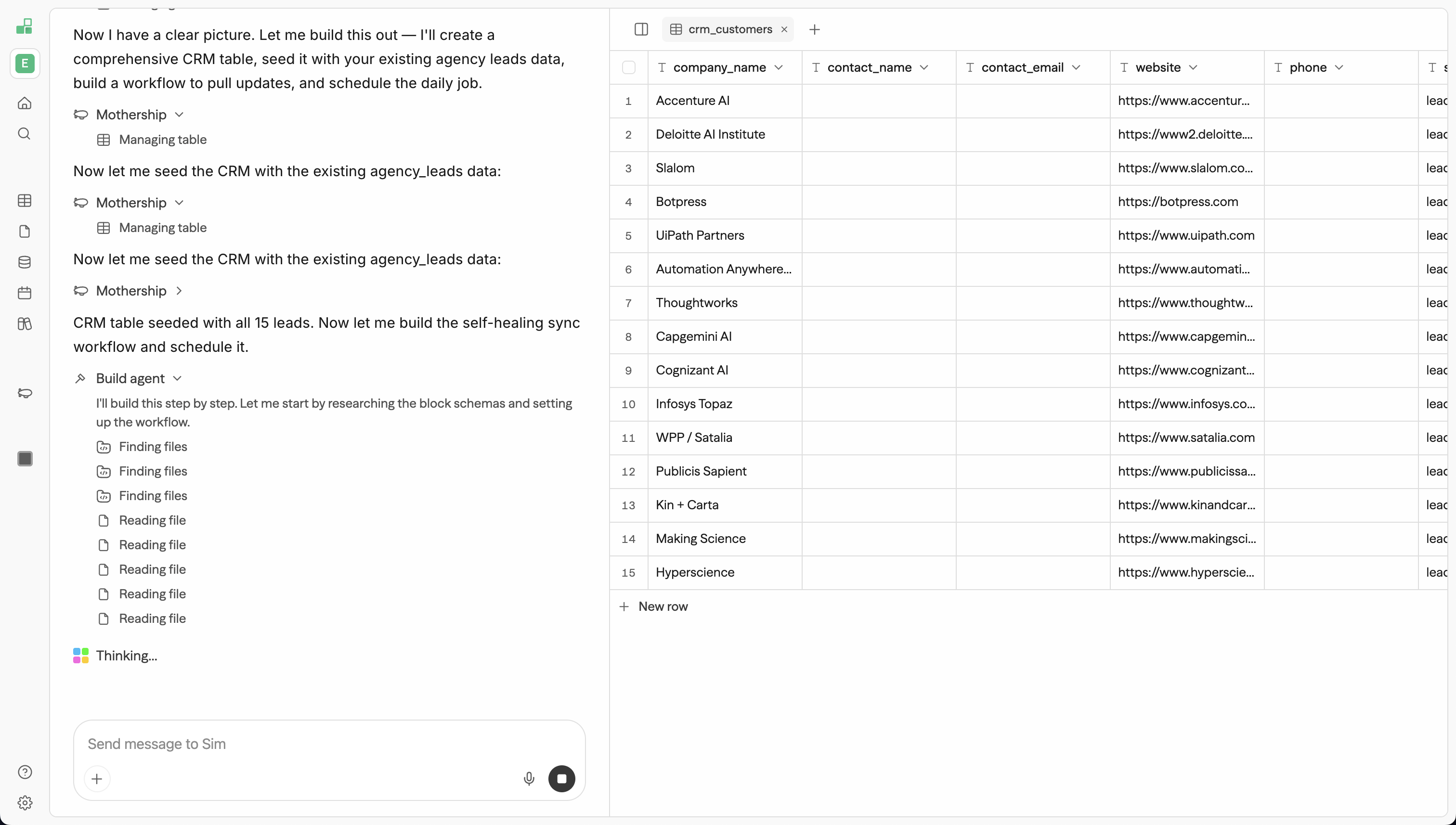
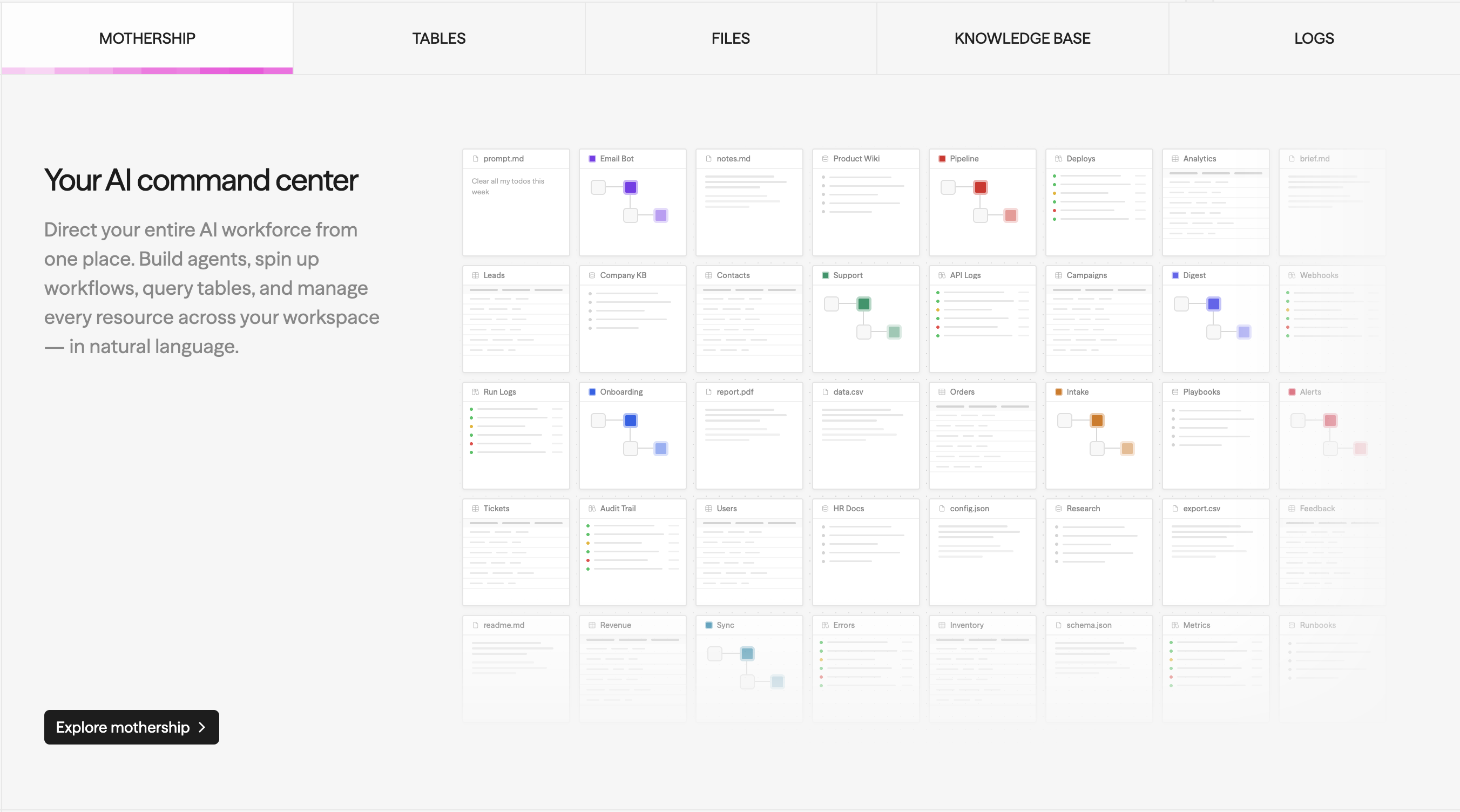
Mothership is the control plane for your entire workspace. It's not a chatbot—it's an orchestrator with full context over your workflows, tables, knowledge bases, files, and every integration you've connected.
Ask it to "create a CRM table, seed it with my existing leads data, build a self-healing sync workflow, and schedule it to run daily"—and it does exactly that. It creates the table, writes the rows, wires up the workflow blocks, configures the integrations, tests it, and deploys it. One prompt, end to end.
Mothership can call any of your 100+ integration tools directly—query a CRM, send a Slack message, search a knowledge base, create a Linear issue—all from a single conversation. It can read, write, and edit files in your workspace. It can build entire workflows from a description and deploy them as APIs, chat interfaces, or MCP tools.
When something breaks, it debugs. When you need a report, it writes one. When you describe a workflow in plain English, it builds it, tests it, and ships it.
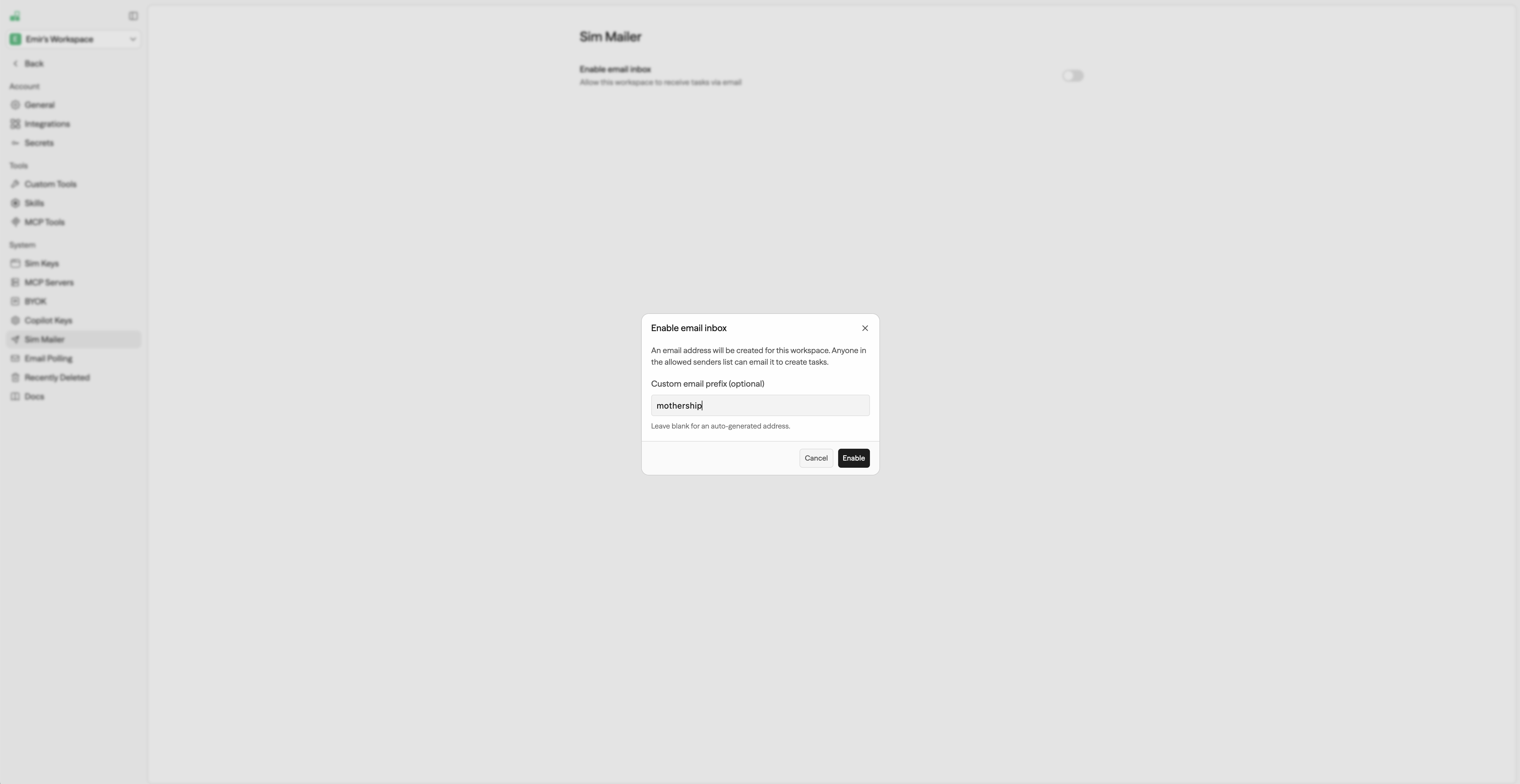
You can even email your workspace. Enable a Sim inbox, and Mothership reads incoming messages, executes tasks using your integrations and data, and replies. Your workspace becomes an email-driven automation layer—send it a request, and it handles the rest.
This is the difference between an assistant that answers questions and one that actually runs things.
Tables
For agents to do real work, they need somewhere to put things. Not ephemeral context that disappears after a conversation—persistent, structured data they can read, write, and query over time.
Tables give your workspace a database. Create tables with typed columns—string, number, boolean, date, JSON—insert and update rows, query with filters and sorting, and use them as the state layer for any automation. 10+ operations are available as workflow blocks: query, insert, upsert, batch insert, update, delete, get row, get schema.
The Mothership can manage tables directly—creating schemas, seeding data, and querying results as part of a larger task. It's not just storage. It's memory.
A customer support workflow writes new tickets to a table. A lead enrichment pipeline upserts contact data after every sync. A reporting agent queries last week's rows and generates a summary. Tables are how your agents remember things and build on previous work.
Think about why this matters. An agent that forgets everything between runs can't track a product launch. An agent with a table can see what happened yesterday, what's overdue, and what needs attention—and act on it.
Files
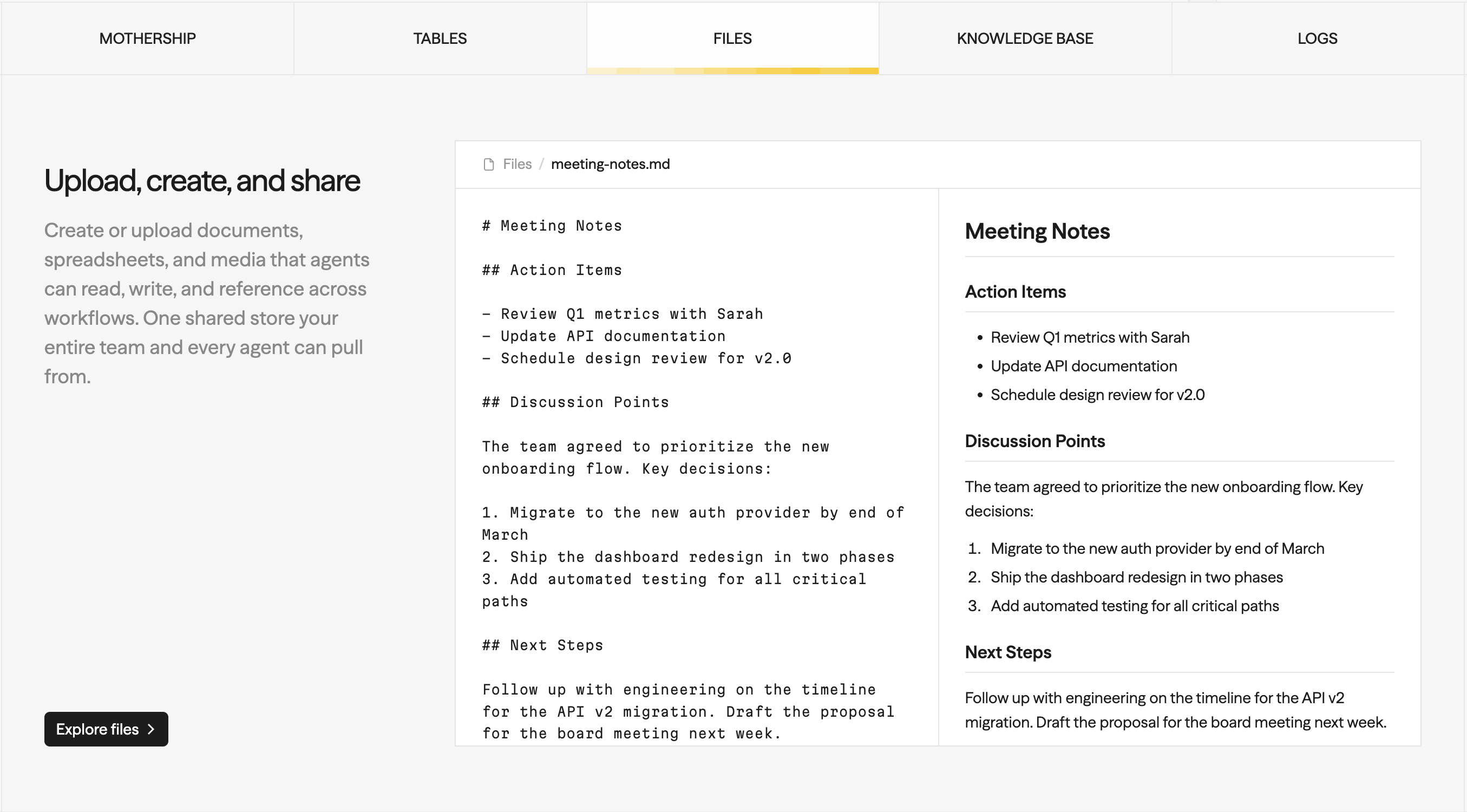
Your workspace has a built-in file system. Upload documents, create new files, and use them across your workflows and the Mothership.
Upload PDFs, spreadsheets, Markdown, JSON, YAML, CSV, HTML, SVG, audio, video—up to 100MB per file. Each format gets a rich preview: Markdown renders with syntax highlighting, HTML and SVG render inline, CSVs display as scrollable data tables, and media files play with native controls.
Edit files directly in the browser with a split-view editor—write on the left, see the rendered preview on the right. The Mothership can also create and edit files programmatically. Ask it to "write a report summarizing last week's metrics" and it creates the Markdown file, populates it, and shows you the preview inline.
CSV files can be imported directly into Tables. Sim auto-detects delimiters, infers column types from the data, and batch-inserts up to 1,000 rows. One click from a raw export to a queryable, workflow-ready table.
Files give agents the ability to produce real artifacts. Not just chat responses—actual documents, reports, configs, and exports that you and your team can use.
Knowledge Base
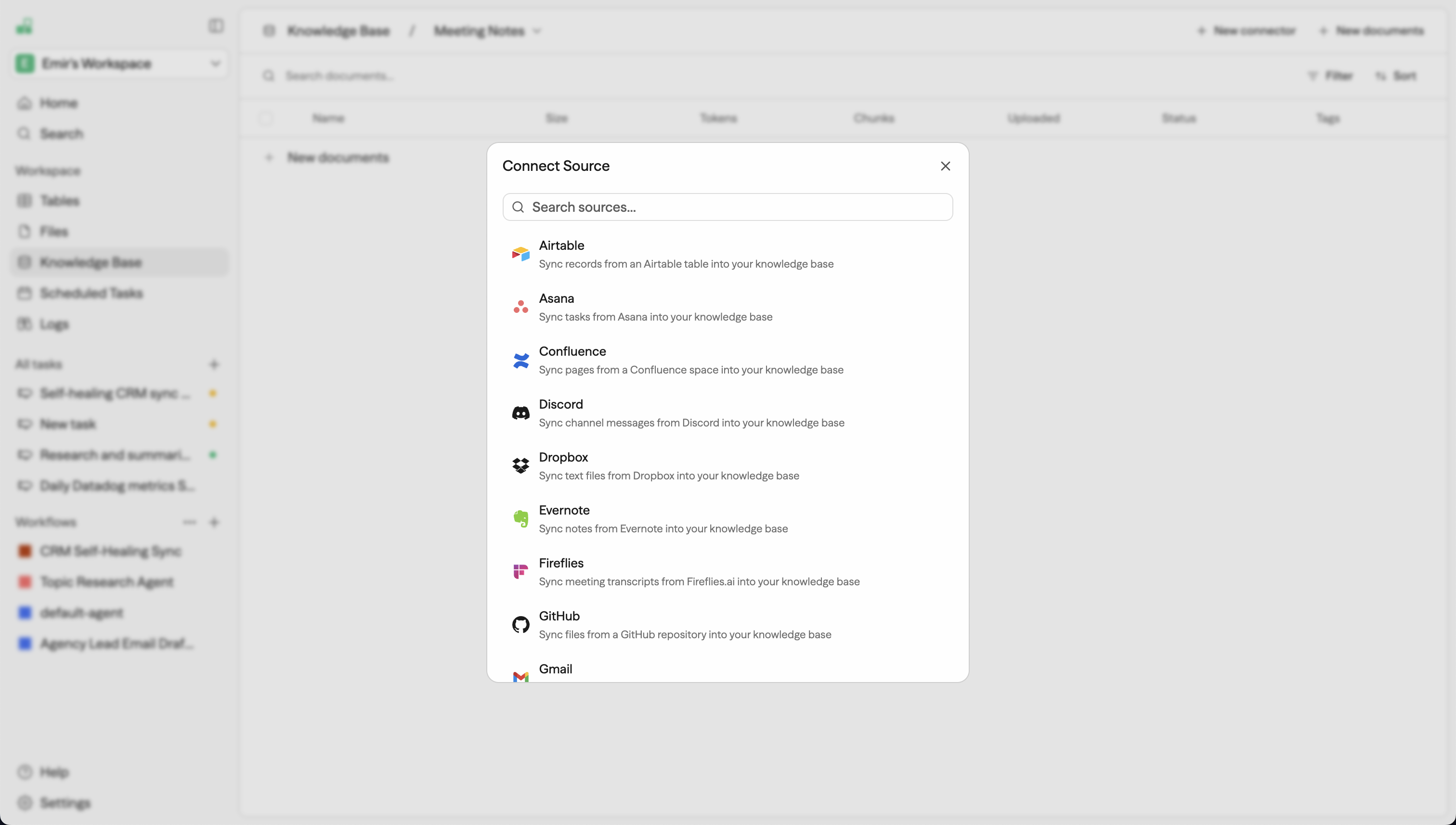
Agents need access to what your team already knows—docs, wikis, meeting notes, support articles, design specs. But that knowledge lives scattered across dozens of tools. Without it, agents hallucinate or give generic answers. With it, they're grounded in your actual business context.
Knowledge Base Connectors bring it all together. Connect a source—Google Docs, Notion, Confluence, Slack, GitHub, Jira, Linear, HubSpot, Salesforce, Zendesk, Dropbox, OneDrive, Gmail, Discord, and 15+ more—and Sim handles the rest. Documents are fetched, chunked, embedded, and indexed automatically. Incremental sync keeps everything up to date on a schedule.
The pipeline handles PDFs with OCR, Markdown, JSON, YAML, and plain text. Chunking is configurable—size, overlap, minimum size. Embeddings use OpenAI's text-embedding-3-small with BYOK support. The result is a vector-searchable knowledge base that's instantly available to any workflow block or to Mothership directly.
This is RAG without the setup. Connect a source, and within minutes your agents can search your team's knowledge, retrieve relevant context, and ground their responses in real information. A support agent that can search your actual help docs. A sales assistant that pulls from your real product specs and competitive intel. A research workflow that synthesizes information from your actual documents.
Scheduled Tasks
Everything above means agents can orchestrate, store data, manage files, and access knowledge. The last piece is autonomy—the ability to act without you in the loop.
Scheduled Tasks let you tell Mothership what you need done and when. Set up recurring or one-time jobs that execute on a cron schedule, with full access to your integrations, tables, and knowledge bases.
Two modes: persistent tasks run indefinitely on schedule, and until_complete tasks poll until a success condition is met, then stop automatically. Configurable max runs, 40+ timezone support, and automatic failure tracking that disables a task after 3 consecutive failures.
"Every morning at 9am, check my Gmail for new support tickets and create rows in my Tickets table." A persistent task that runs daily, searches Gmail, and writes structured data to a Table.
"Every hour, poll the Stripe API for failed payments and send a Slack summary to #billing." Recurring monitoring across two integrations in a single prompt.
"Check if the Q1 report has been uploaded to Google Drive. When it appears, summarize it and email the team." An until_complete task that polls until the file exists, then acts and stops.
"Every Monday at 8am, pull this week's Linear issues, cross-reference with our product roadmap in Notion, and post a status update to Slack." Multi-step reasoning across three integrations on a weekly schedule.
Each run tracks execution history, so the Mothership has context about what it did previously—making each run smarter.
This is the part that closes the gap. You described a task. It runs on schedule. You're not in the loop. The agent is just doing its job.
It All Connects
None of these features exist in isolation. They compose into something larger.
Mothership queries your Tables, searches your Knowledge Bases, reads and writes your Files, calls your integrations, and runs on a schedule through Scheduled Tasks. A user emails your workspace and the Mothership reads the message, researches the answer across synced Notion docs, stores the result in a Table, and triggers a Slack notification workflow. One control plane, all your data, all your tools.
The reason AI agents can't run your life today isn't that they aren't smart enough. It's that they don't have the right workspace. They need persistent memory, access to your knowledge, the ability to act across your tools, and the autonomy to do it on a schedule.
That's what v0.6 is.
Get Started
Sim v0.6 is available now at sim.ai. Check out our documentation for detailed guides on Mothership, Tables, Connectors, and more.
Questions? help@sim.ai · Slack
FAQ
What is Mothership in Sim?
Mothership is the control plane for a Sim workspace—an orchestrator with full context over your workflows, tables, knowledge bases, files, and connected integrations. It can build, test, and deploy workflows from a plain-English description and call any of your 100+ integration tools directly.
Can I trigger Mothership by email?
Yes. Enabling a Sim inbox lets Mothership read incoming emails, execute tasks using your integrations and data, and reply—turning your workspace into an email-driven automation layer.
What is Tables in Sim and how does it work with agents?
Tables gives your workspace a built-in database with typed columns (string, number, boolean, date, JSON) that agents can query, insert into, and update over time. It acts as persistent memory, with 10+ operations available as workflow blocks and direct management by Mothership.
How do Knowledge Base Connectors ground agent responses?
Connectors sync documents from sources like Google Docs, Notion, Confluence, Slack, GitHub, Jira, Linear, HubSpot, Salesforce, Zendesk, Dropbox, OneDrive, Gmail, Discord, and 15+ more, automatically chunking, embedding, and indexing them with incremental sync to stay current. This produces a vector-searchable knowledge base that any workflow block or Mothership can search directly, grounding responses in real business context instead of generic answers.
What's the difference between persistent and until_complete Scheduled Tasks?
Persistent tasks run indefinitely on a set schedule, while until_complete tasks poll repeatedly until a defined success condition is met and then stop automatically. Both support configurable max runs, 40+ timezones, and automatic disabling after 3 consecutive failures.
Can I upload a CSV file and turn it into a queryable table?
Yes. Files uploaded as CSV can be imported directly into Tables—Sim auto-detects delimiters, infers column types, and batch-inserts up to 1,000 rows, turning a raw export into a workflow-ready table in one click.